
A verified engineering record for every student.
Sudo Code is an IDE with a Socratic AI mentor. It turns how students actually code, run, debug and ask for help into metrics professors can act on and a record students can stand behind. Not a resume. Not a submitted file.
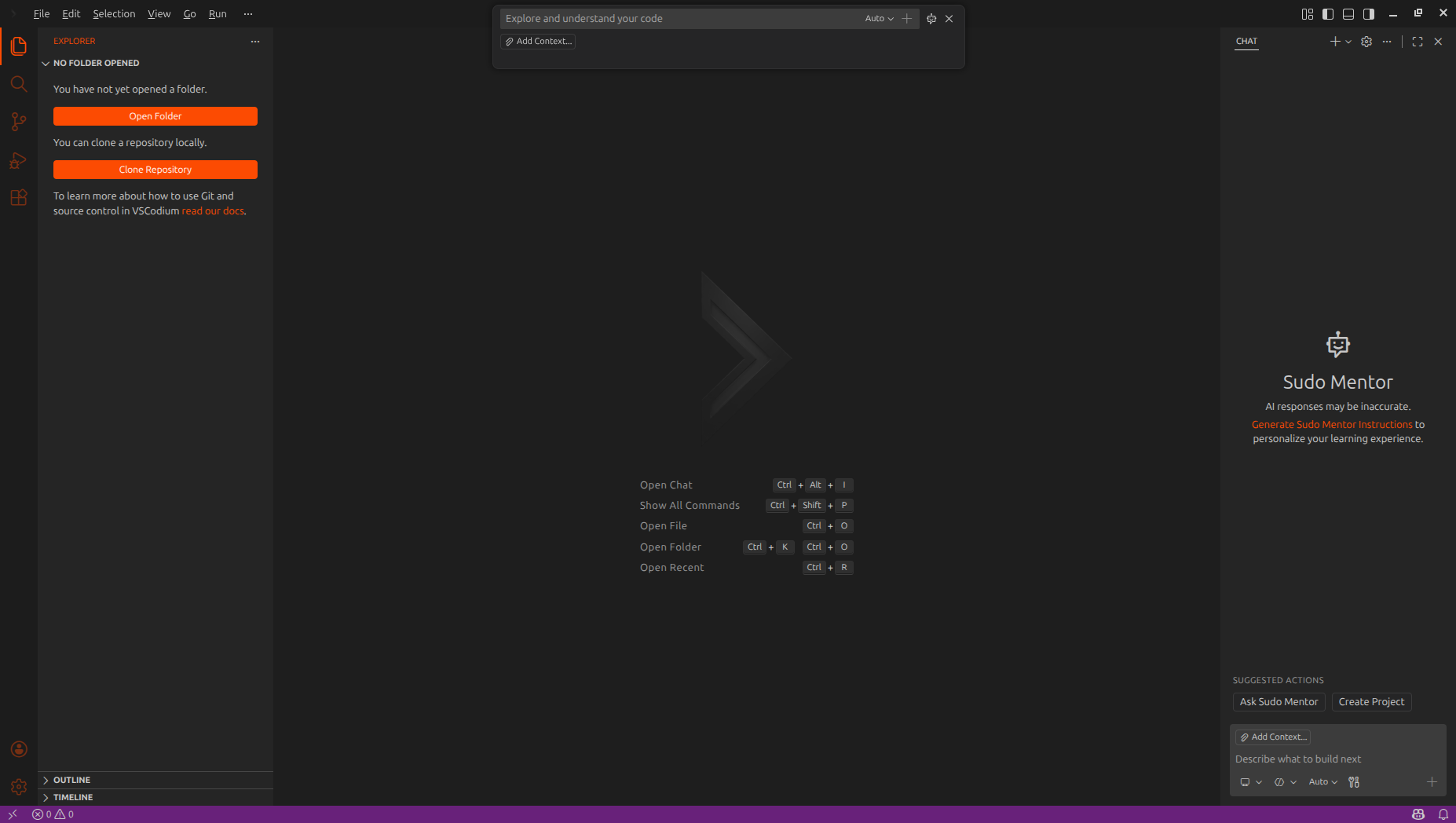
Where the work happens, where it is measured, where it is seen.
Sudo Code
A full desktop IDE built on VSCodium. Students keep their extensions, Git and terminal; the mentor and the record are built in, nothing to install on top.
AI Mentor
Answers with questions, not solutions. A daily credit budget instead of a paywall, and every prompt, and every line inserted from an answer, becomes part of the record so reliance is measured, not guessed.
Dashboards
Department heads see the institution. Professors see their courses, flag students with outcome rules, and nudge them by email. Students see themselves.
Grade the journey, not the final file.
A submitted file says nothing about the twenty failed runs before it, or whether the mentor wrote it. The IDE records the journey passively, and the backend turns it into numbers a professor can read in a minute.
- 1
Students work in Sudo Code
Same editor, same shortcuts, same extensions. They sign in once with the account their institution invited.
- 2
Signals are captured, not keystrokes
Terminal runs and exit codes, file save deltas, commits, and mentor prompts. No screen capture, no keylogging.
sent from the IDE, queued when offline - 3
Metrics are computed every hour
Error-to-success ratio, time to resolve, thrashing, deep work, AI-generated share, and more, per student and per course.
- 4
Everyone sees their slice
Students see their record. Professors see their courses. The department head sees the institution.
role-scoped by design
Numbers with a source, not a vibe.
Successful runs per failing run. It rises as a student debugs faster and guesses less.
Minutes between a failing run and the next green one. The clearest signal of problem-solving skill.
Longest stretch of uninterrupted, productive editing in a session.
How much of the code that shipped came from a mentor prompt rather than the student.
Rapid edit-run loops on the same lines with no progress. High values mean a student is stuck, not lazy.
Composite readiness score with a level from L1 to L3, recomputed every hour.
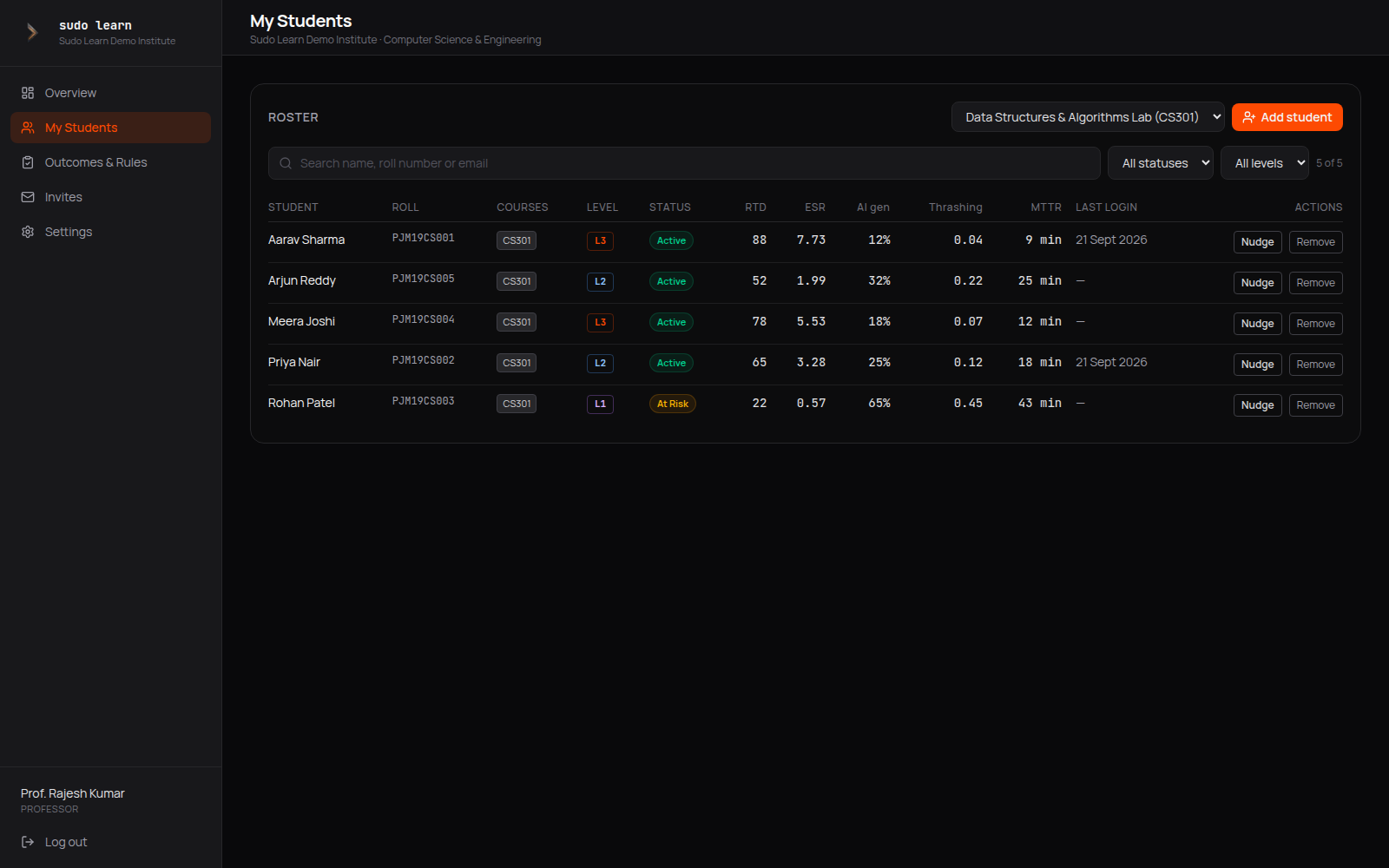
See who is stuck this week, not at the end of the semester.
Rules you write against course outcomes flag students automatically. A nudge is one click and lands in the student's inbox. Department heads get the same view across every course, plus faculty load and license management.
Each role sees exactly its slice.
For department heads
- Every student and professor in one roster
- Level and status distribution across the department
- Courses, outcomes and faculty load in one place
- Invite faculty and students by email with access windows
For professors
- Only the students in your courses
- A gradebook of real metrics, not submitted files
- Rules that flag students against course outcomes automatically
- One-click nudge email when someone is stuck
For students
- A record that follows you across courses and years
- Proof of how you work, not just what you submitted
- Privacy controls for sharing and leaderboards
- A mentor that makes you think before it helps
Measurement without surveillance.
- No keystroke logging
- No screen or camera capture
- No browser history
- Professors see trends, not chat transcripts
- Students control sharing and leaderboard visibility
- Data stays with the institution's license
Run a pilot with one department.
A fixed group of students, six to eight weeks, no cost for the pilot period and nothing to ship. We set up your institution, invite the department head, and review the record with you after four weeks.